
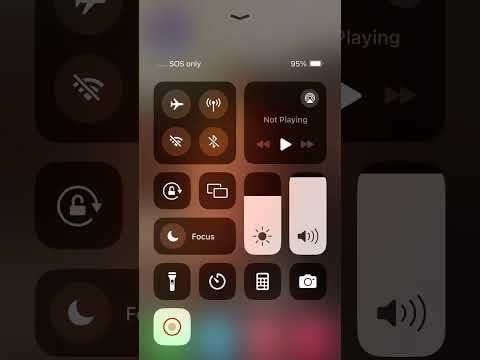
Using the "Shortcuts" app, I made a video tutorial on how to put your phone in "EMF Safe Mode" if you want to see how to set it up yourself! Here's the video: https://youtu.be/ibATcom-oYg?si=ghY5G8OMss9edzdF
And here's a written tutorial on how to do it as well!
-
Go to "Shortcuts" app (free app on iPhone)
-
Tap the "+" icon in the right upper corner.
-
Search up "Wifi" and select "set wifi OFF"
-
Select "Set Bluetooth OFF"
-
Select "Set Cellular Data OFF"
-
Tap the title, then select "Rename"
-
Type in "Safe Mode" or "EMF Safe Mode" (whichever you prefer!)
-
Tap the title again, then select "Choose icon"
-
Set your icon of your choosing to represent "Safe Mode" (No requirement, just whichever icon you want!)
-
Tap the title again, and now select "Add to Home Screen"
-
Move the icon/app to wherever you prefer (I placed mine in the bottom next to Calling, Music, Messages, etc)
REPEAT THIS PROCESS, but this time make a button to turn everything back ON! You can title it, "Turn Off Safe Mode" or "Turn Off EMF Safe Mode"
"EMF Safe Mode" Basically a one click button that would turn off Wi-Fi, Bluetooth, and Cellular Data. The idea is that you could use this when sleeping, when you're not using your phone, etc, so that there is no radiation from the radio waves! https://docs.google.com/document/d/1j9Y9jLgl924ERqq0kmVbhVqCK1kuldZq_9K5XHrLzbk/edit?usp=sharing
In EMF Safe Mode, your iPhone will not emit radio-frequency radiation while idle, in your pocket, on your desk, etc. The ONLY times it will emit radio-frequency radiation is when you MAKE OR RECEIVE A PHONE CALL/FACE-TIME. Once off the call, the phone will go back to emitting ABSOLUTELY ZERO radio-frequency radiation. Same applies to texting. The ONLY limitation is you cannot use iMessage or social media while in EMF Safe Mode.
EMFs are all around us nowadays, with phones, Wi-fi routers, cell towers, wireless watches, headphones, etc. It's almost unavoidable, but that doesn't mean we should give up on protecting our bodies from wireless radiation. The phone is the biggest culprit and emits the most radiation out of all of these mentioned above, so hopefully starting there will make a positive difference in your life.
I hope you feel the difference and learn to use your phone in a safer way than before! 🙂
Hope all is well,
Tylin
Posted by Idk4412
4 Comments
Just let me know or message me if you want or need help setting it up! I’m more than willing to help ANYONE with this! 🙂
Question: can you use your phone when it’s against your ear, and the nearest cell tower is on the opposite side of your head?
So like… same thing as airplane mode ?
FYI
If your phone is receiving phone calls it’s in two way communication with the tower already. A phone call isn’t received by a specific signal sent out in search of a phone. That’s not how it works. That would make intercepting phone calls way way way too easy